What a Linked Index Is and Why It Saves Your Night Before an Exam
By Baseline Paper · · 4 min read
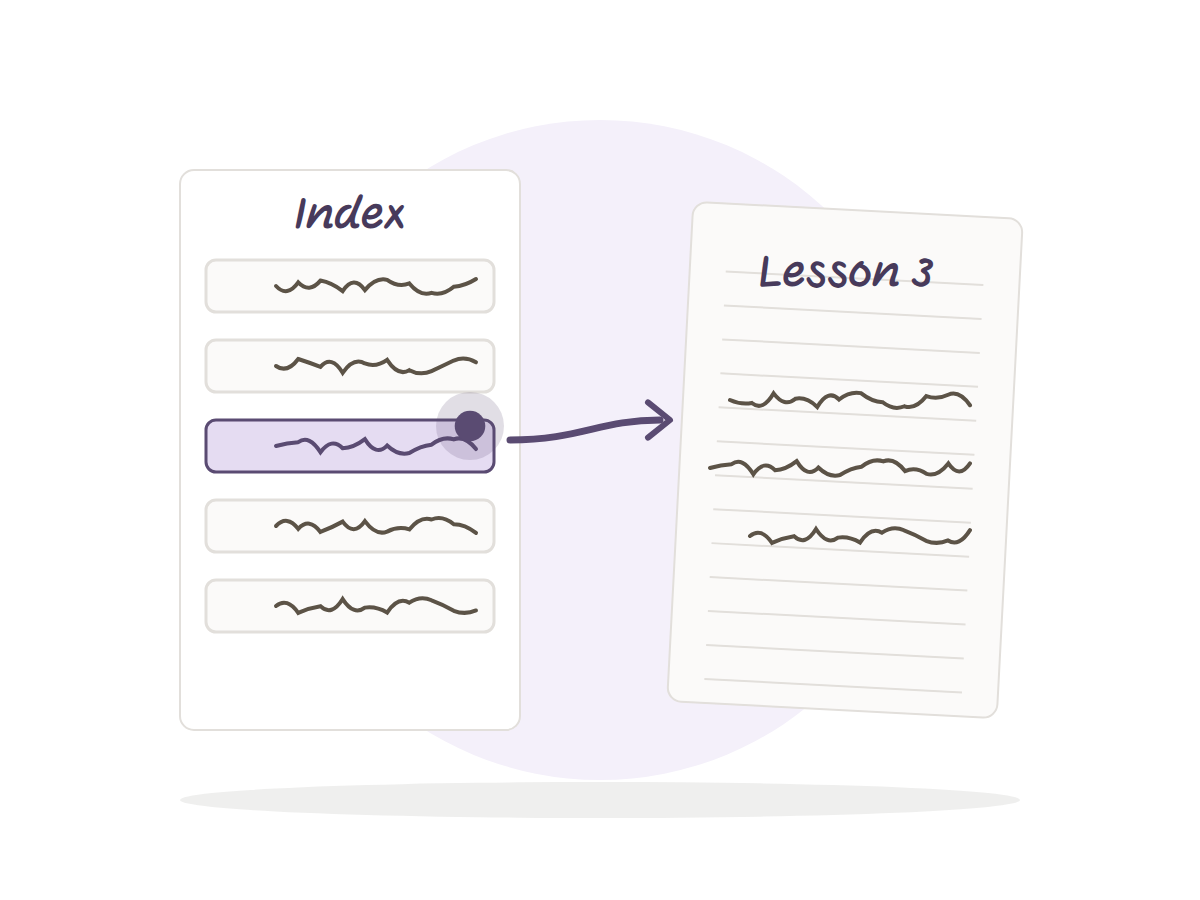
The night before an exam, your notes on lecture three are somewhere in the notebook. You just can’t remember where. You flip page by page, miss it, and flip back.
A linked index fixes exactly that. It is one page at the front of the notebook with a row for each lesson, and every row is a link. Tap it and you land on the page. No flipping.
Here is how it works, how to fill it without it becoming a chore, and when it will not help.
What is a linked index
Think of a book’s table of contents, except you never need a page number. Each row leads to one page in the notebook. Every page also has a button back to the index, so the round trip is two taps.
It is different from a tab or a bookmark. A bookmark holds one spot. An index holds the whole semester on a single page, and you read it like a list: lesson, date, topic.
Fill it without effort
When the lesson starts, open the index and write the date and topic on the next empty row. Ten seconds. The link is already there, so there is nothing to set up.
Write a topic, not “Lecture 7”. Before the exam you will not remember what lecture 7 was, but you will remember it was about integration by parts. If the lecturer says “this will be on the exam”, add that to the row.
What if the semester is half over
Did not fill it in so far? That is fine. Sit down for half an hour, go through the pages you already wrote, and add one row per lesson. It is not fun, but it happens once, and from then on the index fills as you go.
What the night before looks like
Open the index and read it like a list of topics. What do you remember from each row? If the topic is clear, move on. If not, tap and open the page.
Each page has a summary line at the bottom, so you can run through the whole semester on summary lines and open the full page only where you need it. The evening goes on revision, not on searching.
It only works if you import it right
This is where most people get stuck. Import the file as a document, not as paper. Import it as paper and the links will not work, and the index becomes a nice page that does nothing.
One more small thing: links respond when the pen tool is not active. Tap with a finger, or switch to read mode. It is confusing the first time and invisible after that.
How it fits with keywords and the summary
The index finds the page, and on the page you work the Cornell way: keywords in the side column, notes in the middle, a short summary at the bottom. The three do the job together. The index gets you to the lesson, the keywords remind you what was in it, and the summary tells you whether you need to read the rest at all.
After the lesson, the same day, leave two minutes for the summary line. Otherwise the night before the exam turns into rereading everything you wrote, which is exactly what we wanted to avoid.
How much time it really saves
You cannot measure it in exact minutes, because it depends on how many lessons you have and how often you look back. But the direction is clear. Without an index, every search for a topic is flipping. With one, it is reading a row and a tap. With five subjects and exams in the same week, that difference adds up fast.
When you do not need an index
If you write little and rarely look back, an index is extra work. Handwriting search in Goodnotes and Notability also helps when you have a clear word to look for. But you have to remember the word. An index just reads you the semester.
A notebook with the index already inside
The Hebrew Cornell notebook comes with a linked lesson index of 100 rows, each linked to its lesson page. You build no links yourself. You only write a topic on the row. Every page also has a button back to the index, so the way from a summary to the index and back stays short.